
Problem Statement #
To verify network reachability and identify basic connectivity or packet-loss issues using the ping command.
1. Procedure #
a. Open Command Prompt #
Command Prompt (CMD) is the tool used to run the ping test.
Press Windows Key + R → type cmd → press Enter
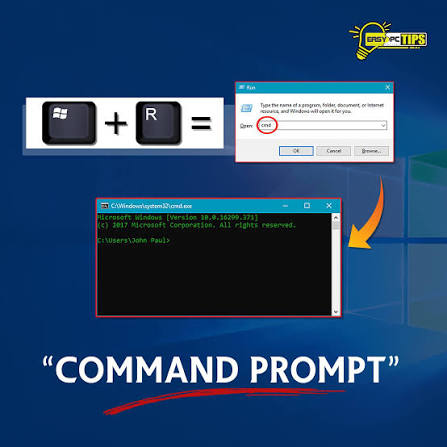
Alternatively, click Start Menu
Type cmd or Command Prompt
Click the black window icon
b. Type Ping Command #
The ping command checks if your laptop can reach another device or website.
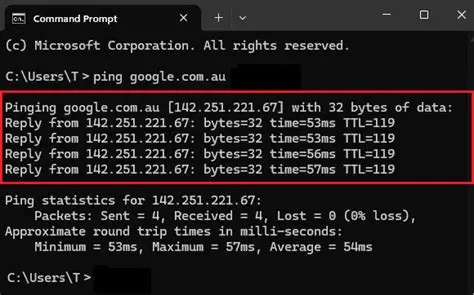
In CMD window, type: ping 8.8.8.8 or www.google.com
Press Enter after typing
2. Read the Results #
Success Check #
The results show if the connection is working and how fast it responds.
Reply from… means connection is OK
Packets: Sent = 4, Received = 4, Lost = 0 → No issue
If you see Request timed out, the site/device is unreachable