
Why you need these #
Your Circuit ID identifies one specific connection at one site. Including them when you contact us lets our team find your service straight away, without asking follow-up questions.
What is the difference? #
| Circuit ID | |
|---|---|
| Identifies | One connection at one site |
| How many you have | One per link — a company with three offices, or a primary and backup link, has several |
| When to use it | Faults: outages, slowness, packet loss, configuration changes and for any kind of requests |
| Looks like | Starts with a five-letter code such as PUNTT, MUMAI or KOLVI |
Reading your Circuit ID #
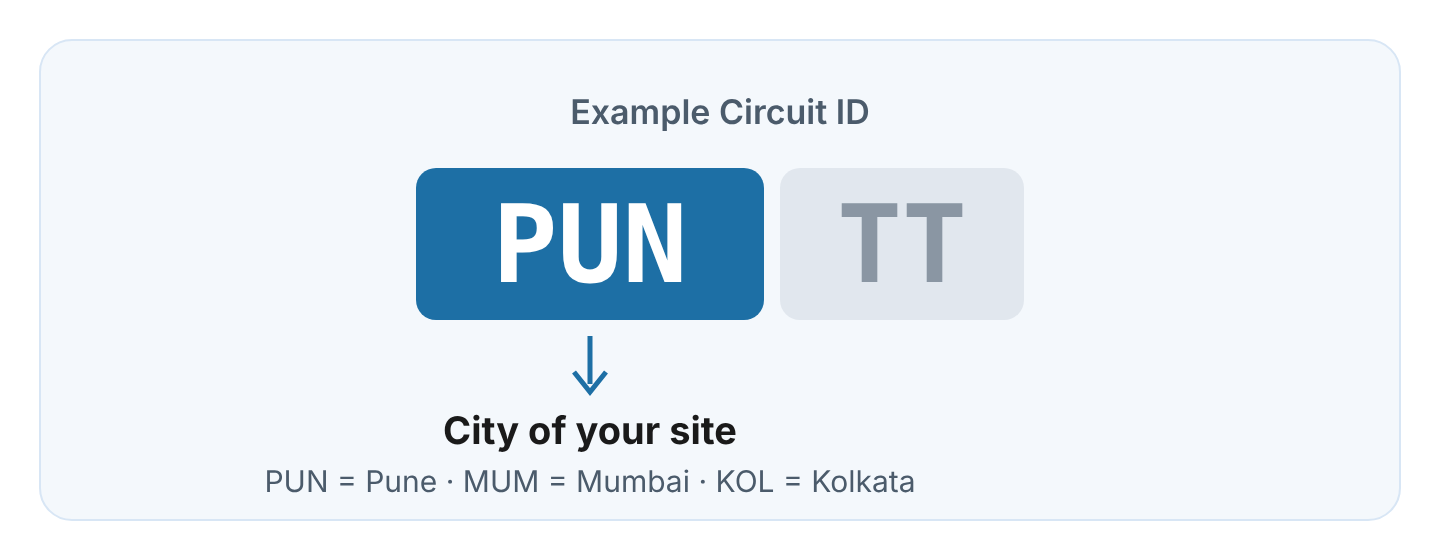
Every Circuit ID begins with a five-letter code. The first three letters show the city
of the site the link serves — for example PUN for Pune, MUM for Mumbai and
KOL for Kolkata. So if your company has offices in Pune and Mumbai, the IDs starting with
PUN belong to the Pune office.
When reporting a fault, always give the Circuit ID of the affected link. If you are unsure which link is affected, give the site address and we will find it.
Where to find them #
1. Your invoice #
Both IDs appear on your Cloudi invoice. If you have several links, each Circuit ID is listed on its own line with the site address.
2. Your service activation email #
When a link is commissioned, Cloudi sends a service activation (handover) email to your registered contact. It includes the Circuit ID, bandwidth, site address and IP details for that link.
3. The Customer Portal #
Sign in to the Cloudi Customer Portal. Each link’s Circuit ID is listed “under My Services”.
4. Your Service Account Manager #
If you cannot find either ID, contact your Cloudi Service Account Manager (SAM).
Still can’t find them? #
You can still submit a request. Give your company name and the full site address, and our team will look up your account.